ステップ 4: フェイルオーバークラスターを作成

フェールオーバークラスタリング機能をクラスター内の各ノードに追加したら、次のステップはクラスターを作成することです。これらの手順は、フェールオーバークラスタリング機能が有効になっている任意のサーバーから実行できます。

  1. Server Managerを開きます。

  2. [ツール]メニューから、[フェイルオーバークラスターマネージャー]を選択します。
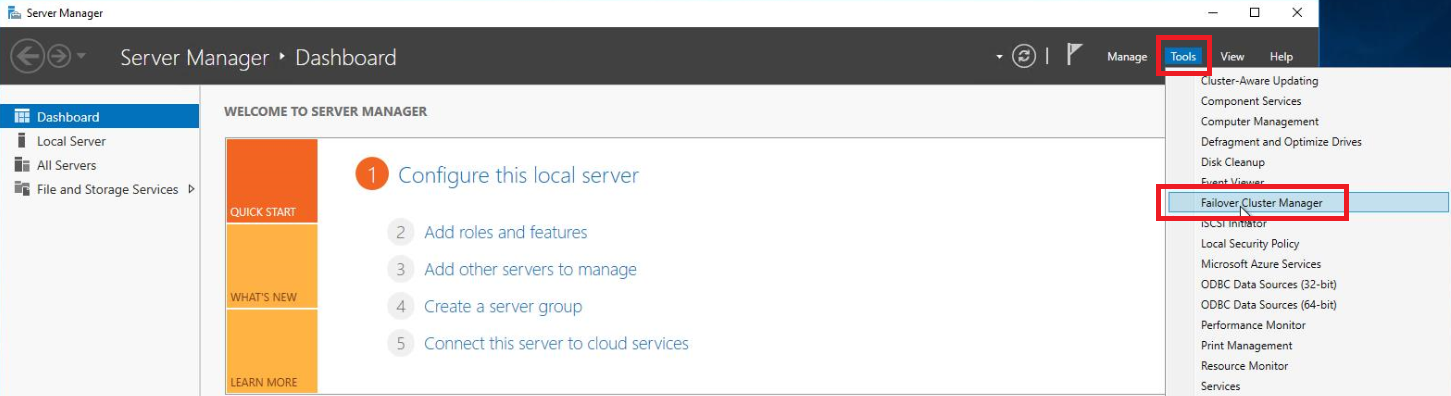
    From the Tools menu, select Failover Cluster Manager. 
  3. フェイルオーバークラスターマネージャーコンソールのアクションペインで、クラスターの作成を選択します。

    Within the Actions pane of the Failover Cluster Manager console, select Create Cluster.  
  4. クラスター作成ウィザードで、[開始する前に]画面で[次へ]を選択します。

  5. クラスターに含める各サーバーを追加したら、サーバーが[サーバーの選択]ウィンドウに一覧表示されていることを確認します。次に、[次へ]を選択して続行します。
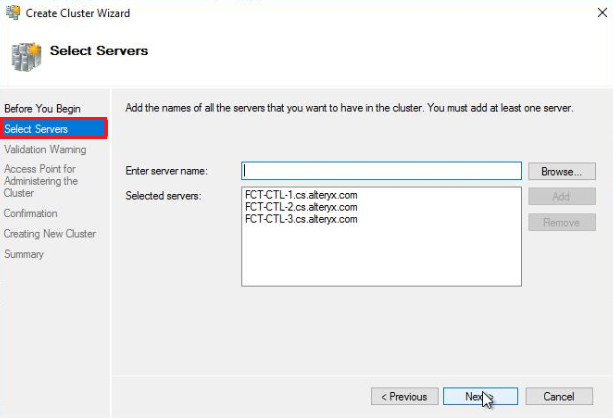
    On the Select Servers screen, enter the server name of each node that will be added to the cluster and select Add.
  6. 検証警告画面で、はいを選択します。次へを選択すると、設定検証テストを実行し、クラスターの作成プロセスに戻ります。[次へ]を選択します。
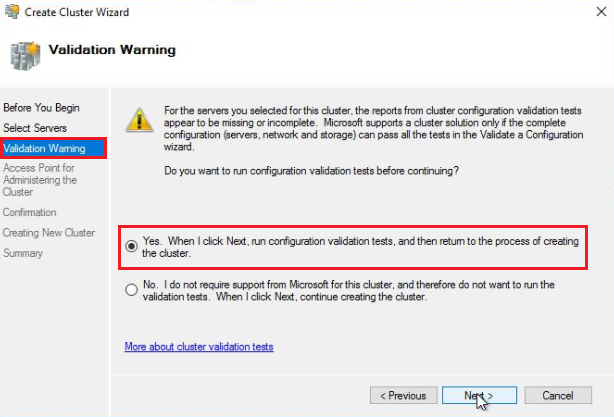
    On the Validation Warning screen, select Yes. When selecting Next, run configuration validation tests, and then return to the process of creating the cluster.
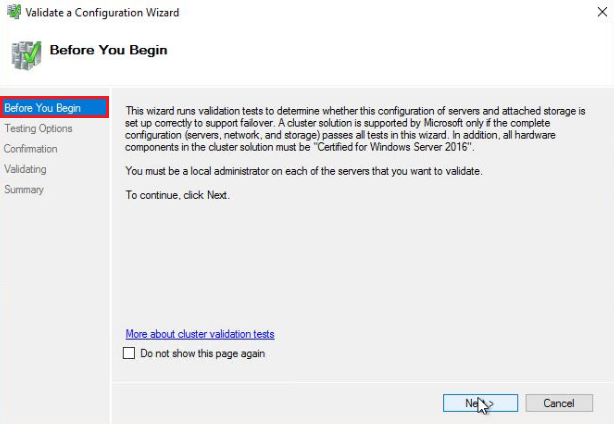
  7. 検証警告画面で次へを選択すると、設定の検証ウィザードが起動します。

    After you select Next on the Validation Warning screen, the Validate a Configuration Wizard will be launched. 
  8. テストオプション画面で、すべてのテストを実行(推奨)を選択し、 次へを選択します。
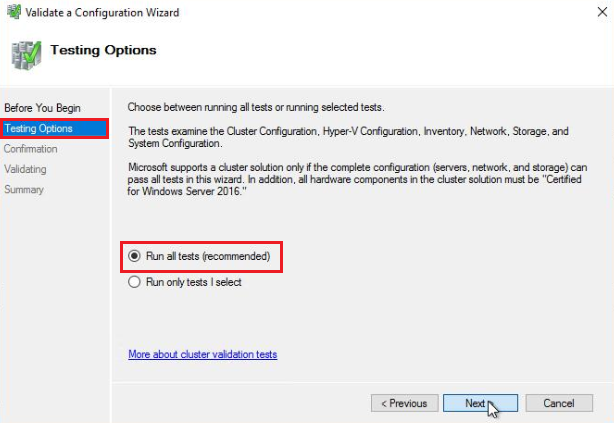
    On the Testing Options screen, select Run all tests (recommended), then select Next.  
  9. 確認画面で、クラスターに追加されるすべてのノードがテスト対象のサーバーセクションにリストされていることを確認します。次に、[次へ]を選択して検証テストを実行します。
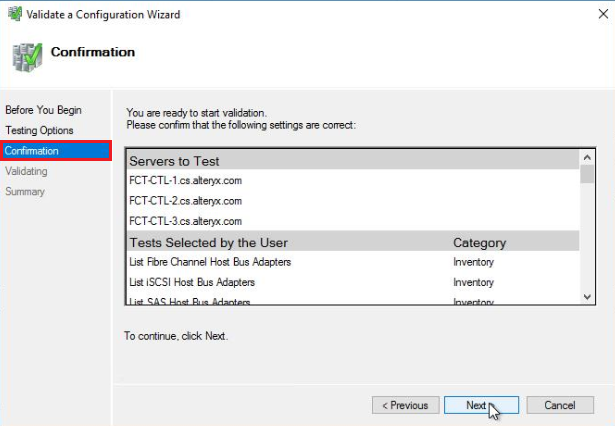
    On the Confirmation screen, validate that all nodes being added to the Cluster are listed in the Servers to the Test section.
  10. 検証プロセスが完了したら、サマリーを確認して対処する必要のあるエラーがないことを確認し、[完了]を選択してクラスター作成プロセスに戻ります。オプションで、[レポートの表示]を選択して、詳細な検証レポートを確認できます。

  11. クラスター作成ウィザードの[クラスターを管理するためのアクセスポイント]画面で、クラスター名を入力します。クラスター名は、Active Directoryドメイン内のDNSに追加され、クラスターおよびクラスターが所有するロールの管理に使用されます。クラスター名を入力したら、[次へ]を選択して確認画面に進みます。
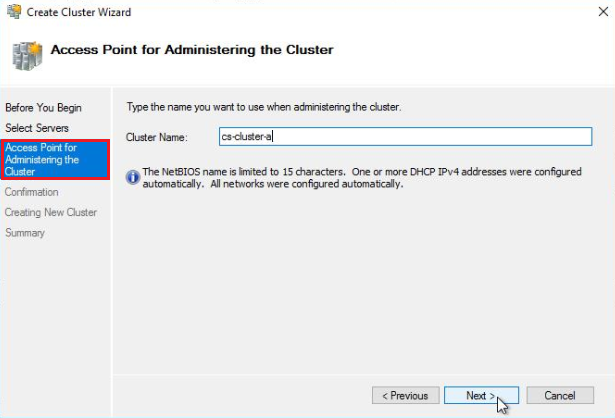
    On the Access Point for Administering the Cluster screen of the Create Cluster Wizard, enter a Cluster Name.
  12. 確認画面で、クラスター名を確認し、クラスターに追加される各ノードがノードセクションにリストされていることを確認します。次に、[次へ]を選択して続行します。
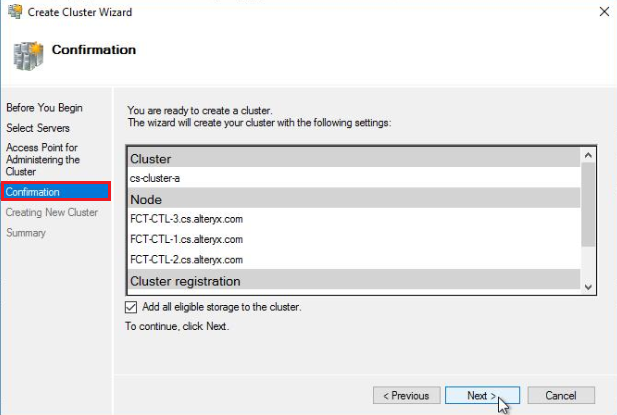
    On the Confirmation screen, verify the cluster name and that each node being added to the cluster is listed in the Node section.
  13. ステップ12で[次へ]を選択すると、新しいクラスターが設定され、DNSに追加されます。
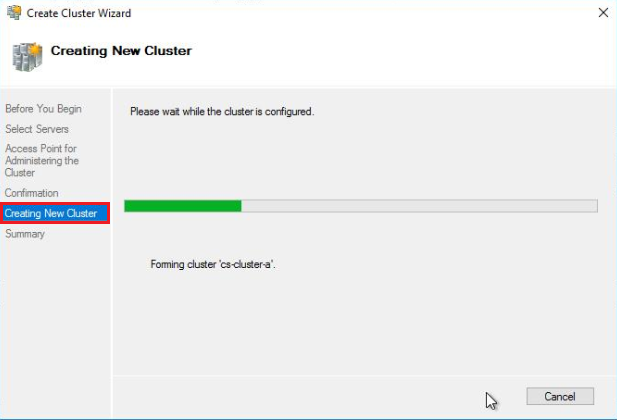
    Upon selecting Next in step 12, the new Cluster will be configured and added to DNS.  
  14. クラスターの設定が完了すると、クラスター作成ウィザードが正常に完了したことを示すサマリー画面が表示されます。[完了]を選択して、クラスター作成ウィザードを閉じます。
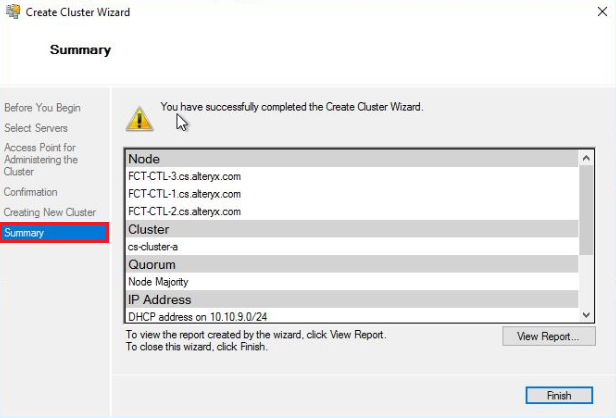
    Once the cluster has been configured, you should receive a Summary screen stating you have successfully completed the Create Cluster Wizard.