安装“故障转移集群”功能

为了配置高可用性控制器,第一步是安装 Microsoft 故障转移集群。需要在集群中的每个控制器故障转移节点上完成以下步骤。这些说明适用于 Windows Server 2016

  1. 打开服务器管理器

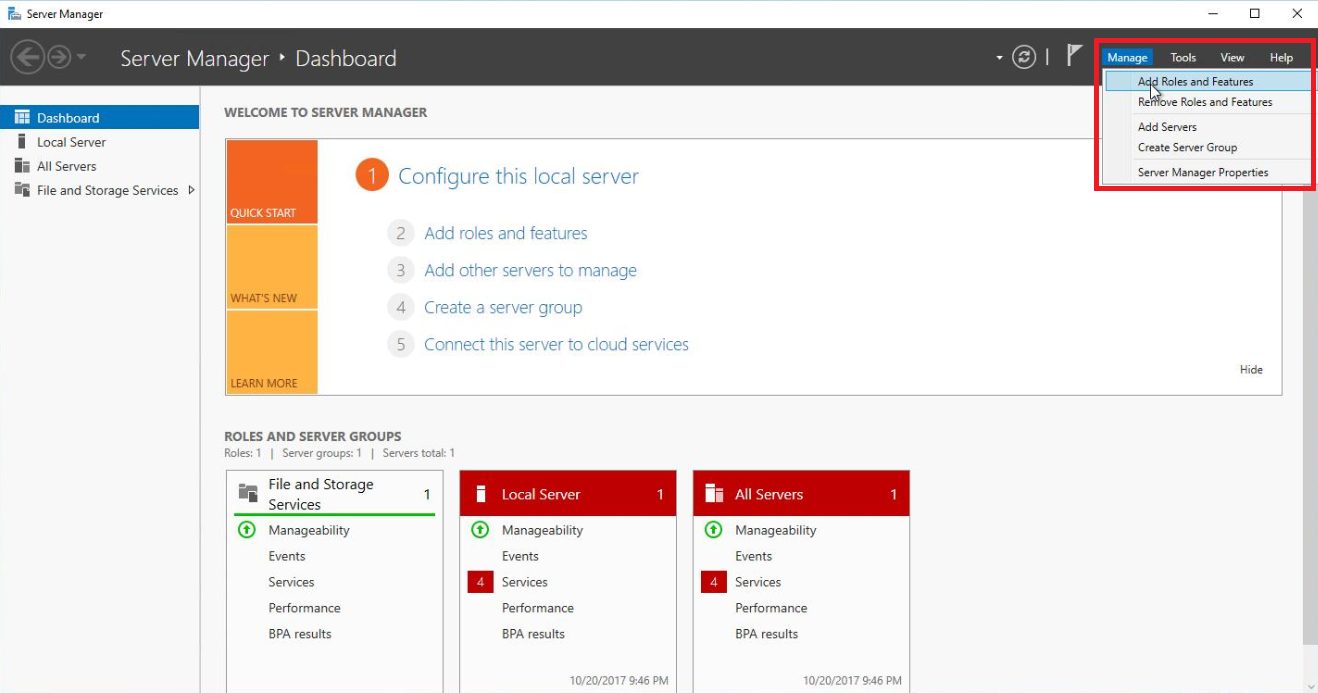
  2. 管理菜单中,选择添加角色和功能

    From the Manage menu, select Add Roles and Features.  
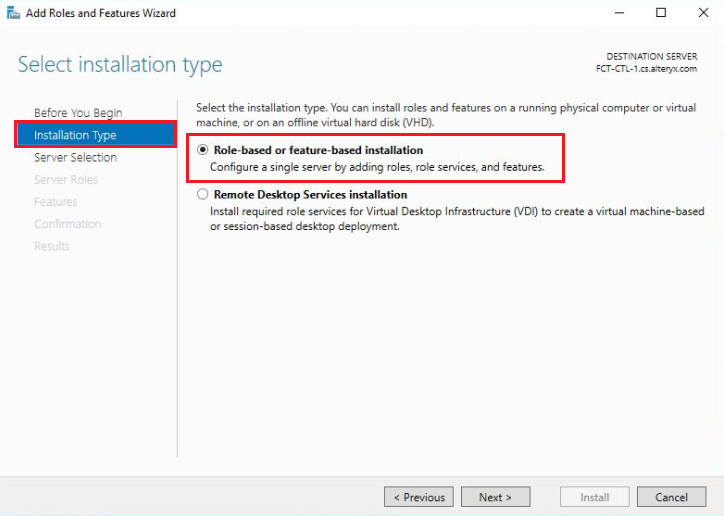
  3. 选择安装类型屏幕上,选择基于角色或基于功能的安装,然后选择下一步

    On the Select installation type screen, select Role-based or feature-based installation, and select Next. 
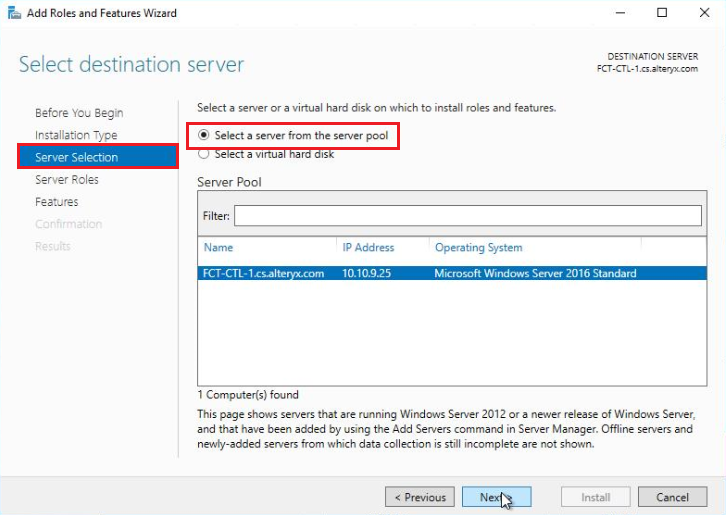
  4. 选择目标服务器屏幕上,在从服务器池中选择服务器部分中选择当前登录的服务器,然后选择下一步

    On the Select destination server screen, select the server you are currently logged in to from the Select a server from the server pool section, and select Next.
  5. 服务器角色屏幕上,选择下一步以进入功能屏幕。

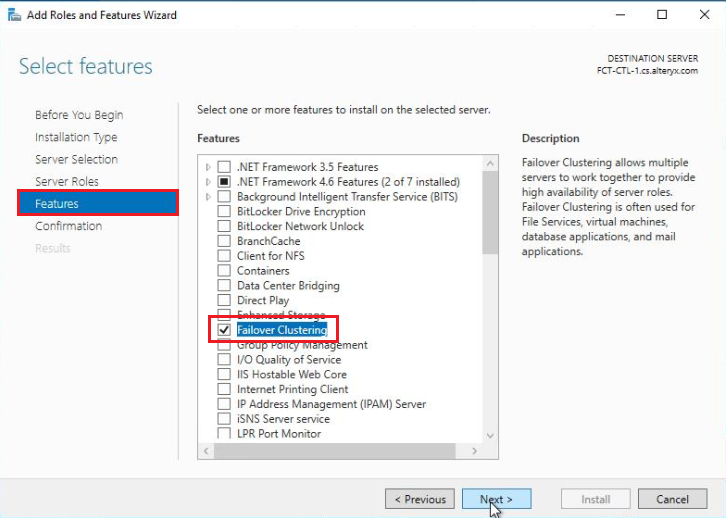
  6. 功能屏幕上,选择故障转移集群

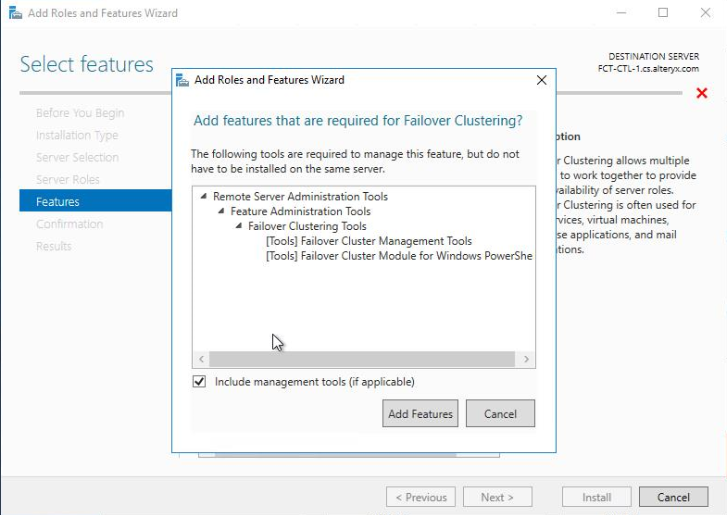
    1. 选择“故障转移集群”后,在出现以下窗口时选择添加功能

      Upon selecting Failover Clustering, select Add Features when the following window appears. 
  7. 选择下一步以继续添加“故障转移集群”功能。

    Select Next to proceed with adding the Failover Clustering feature. 
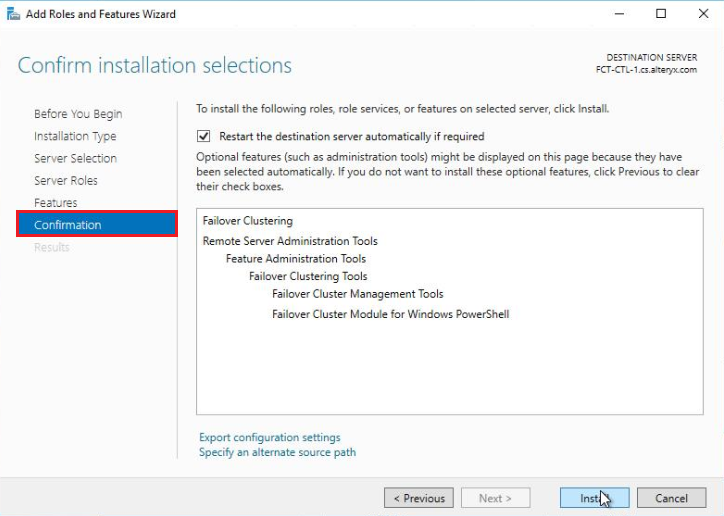
  8. 确认安装选择屏幕上,确保列出了“故障转移集群”功能,然后选择安装

    On the Confirm installation selections screen, ensure the Failover Clustering feature is listed and select Install. 
  9. 安装“故障转移集群”功能后,关闭添加角色和功能向导,然后在每个集群节点上添加该功能。