Disabled Connection Handling in Engine
Overview
There are many ways for a connection to be "disabled" and, as a result, produce no records or metainfo:
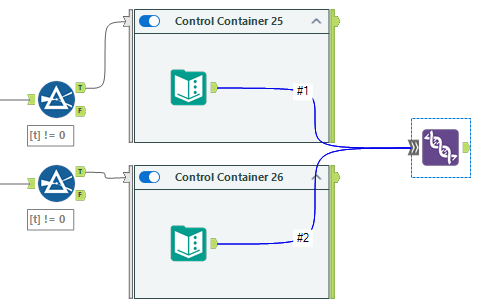
Output from a disabled Tool Container.
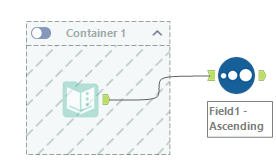
Output from a Control Container tool that itself is never enabled.
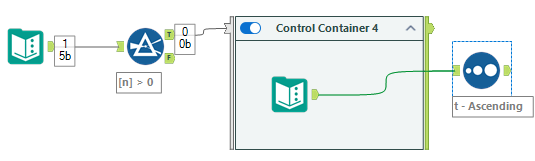
Output from a tool with configuration errors.
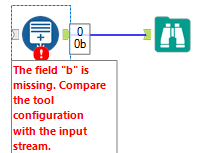
Output from a tool driven by a disabled connection.
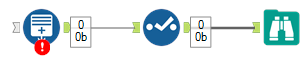
Output from a tool that is missing a required input.
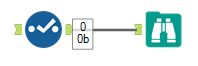
Updates in the 2026.1 Release
We’ve improved how disabled connections behave with the AMP engine to ensure consistent results. Tools that don't provide metadata are treated as disabled, which results in the following behavior:
Downstream tools don't receive metadata from that connection.
In general, the downstream tool closes silently, without producing processing info messages. Note that you might encounter cosmetic issues, such as missing or inconsistent info messages.
Please note that there are several special cases:
The Union tool accepts disabled connections and processes only the enabled input streams. It reports an Info message in the workflow Results when an input is disabled.
The Join tool continues to function as it has. It silently closes if inputs are disabled. It doesn't output data or metadata.
The Join Multiple tool can accept disabled inputs when joining...
By record position: The tool processes valid input data and shows an Info message for invalid inputs. For example, "The input "#1" was disabled".
By specific fields: The tool reports an Info message in the workflow Results if an input is disabled, and silently closes. It doesn't output data or metadata.
The Test tool reports an Error (due to a missing connection used in the test condition) if any input is disabled.
Note
Any warning messages, differences from the original Engine, and empty messages are considered cosmetic.
Best Practices with Disabled Connections
There are a couple of workflow design approaches that can help address issues around disabled connections:
When practical, we recommend placing connected tools in the same container.
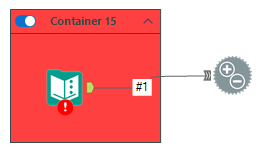
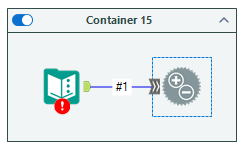
Use the Union tool to join data streams together (when some might be disabled). The Union tool accepts disabled connections.