步骤 5:添加群集角色

您已创建群集,您需要添加群集。可以从启用故障转移群集功能的任何服务器上完成这些步骤。

  1. 打开Server Manager

  2. 工具菜单中,选择故障转移群集管理器

  3. 故障转移群集管理器控制台中,展开新创建的群集,突出显示左侧的角色,然后在右侧的操作菜单中选择配置角色。

    Within the Failover Cluster Manager console, expand the newly created Cluster, highlight Roles on the left and from within the Actions menu on the right, select Configure Role.
  4. 高可用性向导中,选择“开始之前”屏幕上的下一步

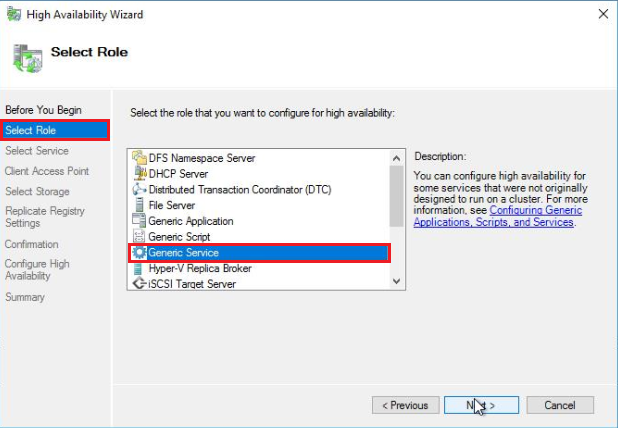
  5. 选择屏幕上,突出显示通用服务角色并选择下一步

    On the Select Role screen, highlight the Generic Service role and select Next. 
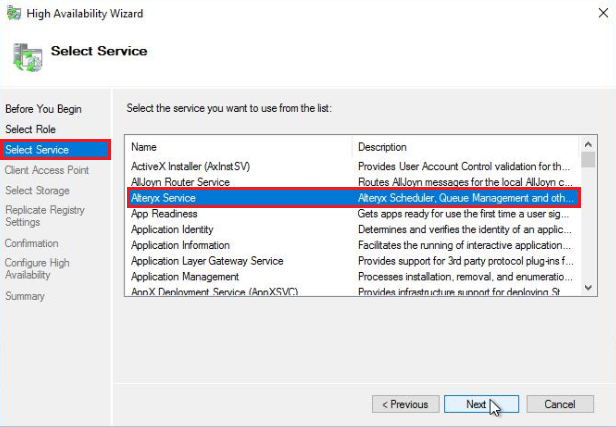
  6. 选择服务屏幕上,选择Alteryx服务,然后选择下一步以继续。

    On the Select Service screen, select Alteryx Service and select Next to proceed.  
  7. 客户端接入点屏幕上,输入将用于访问群集的DNS名称。配置Server UI和程序以访问高可用性控制器群集时使用的DNS名称。
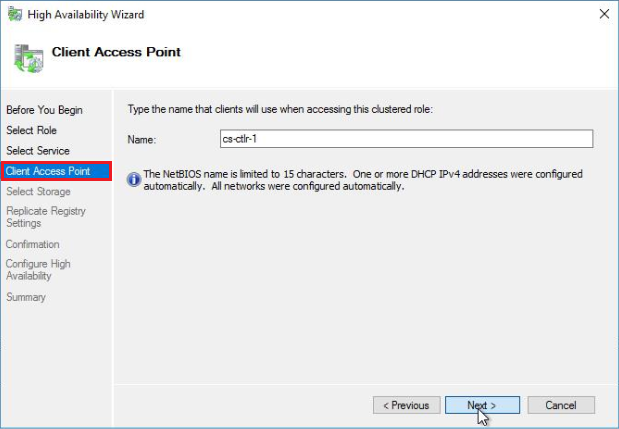
    On the Client Access Point screen, enter a DNS name that will be used for accessing the cluster role.
  8. 选择存储和复制注册表设置屏幕上选择下一步

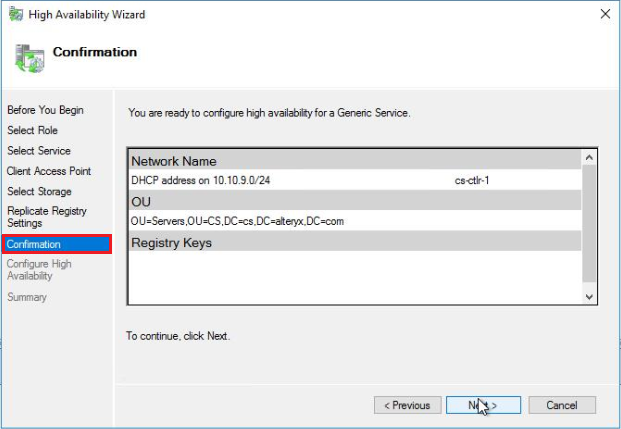
  9. 确认屏幕上,验证设置并选择下一步

    On the Confirmation screen, verify the settings and select Next. 
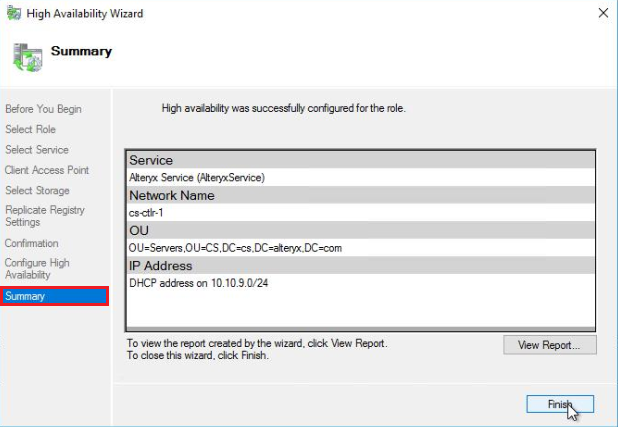
  10. 单击步骤9中的下一步后,将创建群集并将其添加到DNS中。创建高可用性后,您将收到一个摘要屏幕,说明已成功为角色配置高可用性。选择完成以关闭高可用性向导

    Once the High Availability role has been created, you should receive a Summary screen stating the high availability was successfully configured for the role.

Microsoft故障转移群集现在将管理群集中每个上的AlteryxService.exe状态。AlteryxService.exe将在“所有者”(活跃)上启动,故障转移节点将处于停止状态。如果“所有者”出现故障,Microsoft故障转移群集将在其中一个故障转移节点上启动AlteryxService.exe,并自动将流量定向到活动的Alteryx控制器。